> For the complete documentation index, see [llms.txt](https://docs.allganize.ai/allganize-alli-works-userguide-en/llms.txt). Markdown versions of documentation pages are available by appending `.md` to page URLs; this page is available as [Markdown](https://docs.allganize.ai/allganize-alli-works-userguide-en/advanced-settings.md).
# Advanced settings
You can view more detailed model execution history using advanced settings.
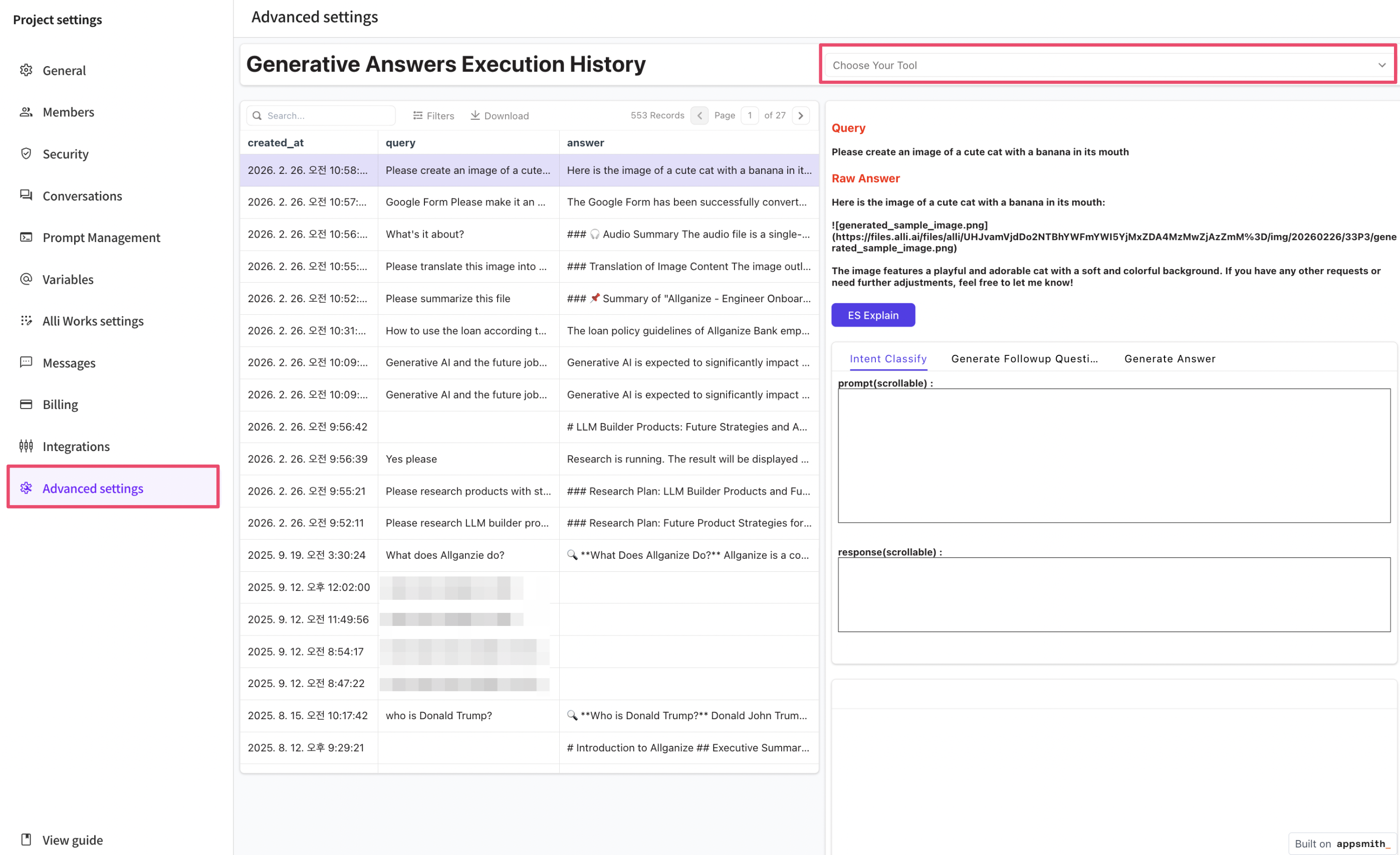
* **Enable option:** In the 'Advanced Settings' tab, find the 'Choose Your Tool' option and select the Generative Answers Execution History option from the dropdown list.
* **View answer generation history:** When a query is entered, you can see which clues were selected while the model generated the answer, that is, the documents and pages used. This allows you to better understand the information the model chose and the resulting outcome.
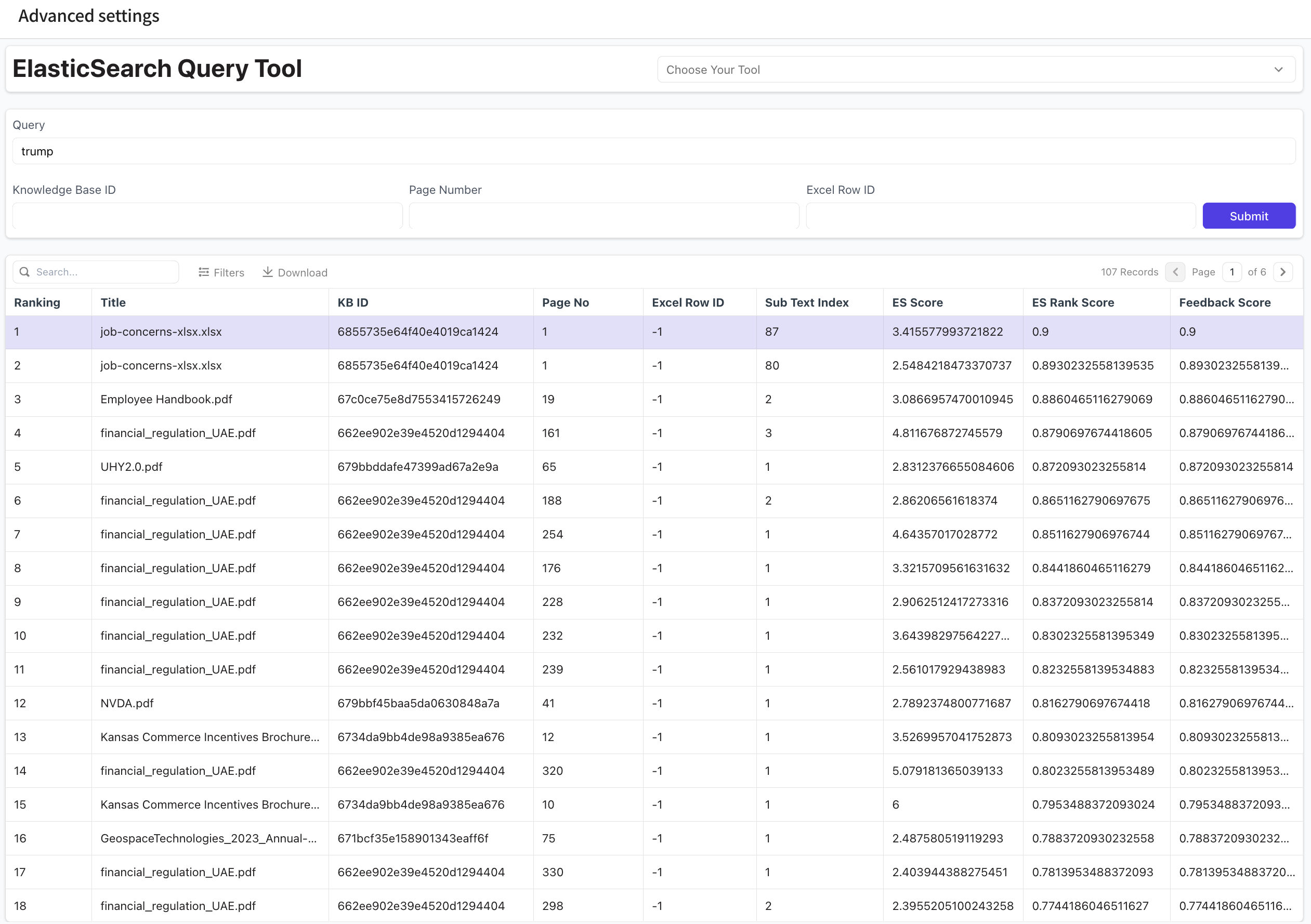
* **ES Explain:** If you want to check the document ranking chosen by the model, click that button. This lets you see which documents and pages were considered clue candidates and how they were ranked.