> For the complete documentation index, see [llms.txt](https://docs.allganize.ai/allganize-alli-works-userguide-en/llms.txt). Markdown versions of documentation pages are available by appending `.md` to page URLs; this page is available as [Markdown](https://docs.allganize.ai/allganize-alli-works-userguide-en/set-access-permissions-per-app.md).
# Set access permissions per app
Within the Alli Works page, you can control access permissions so that only specific users can access each app.\
This option is useful when different departments need to use different apps.
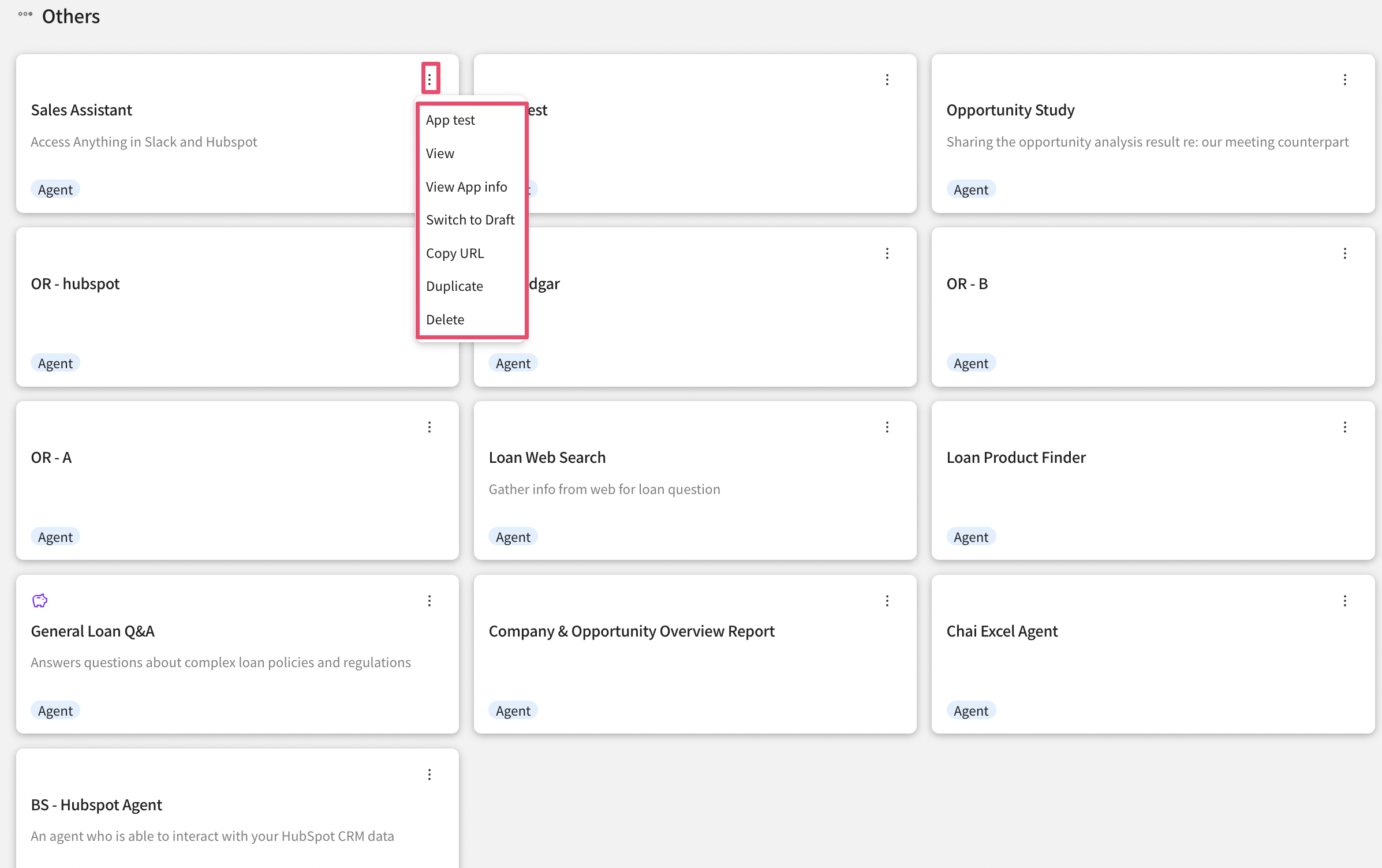
In the app management menu, click the three-dot icon of the desired app and select 'Edit App Info.'
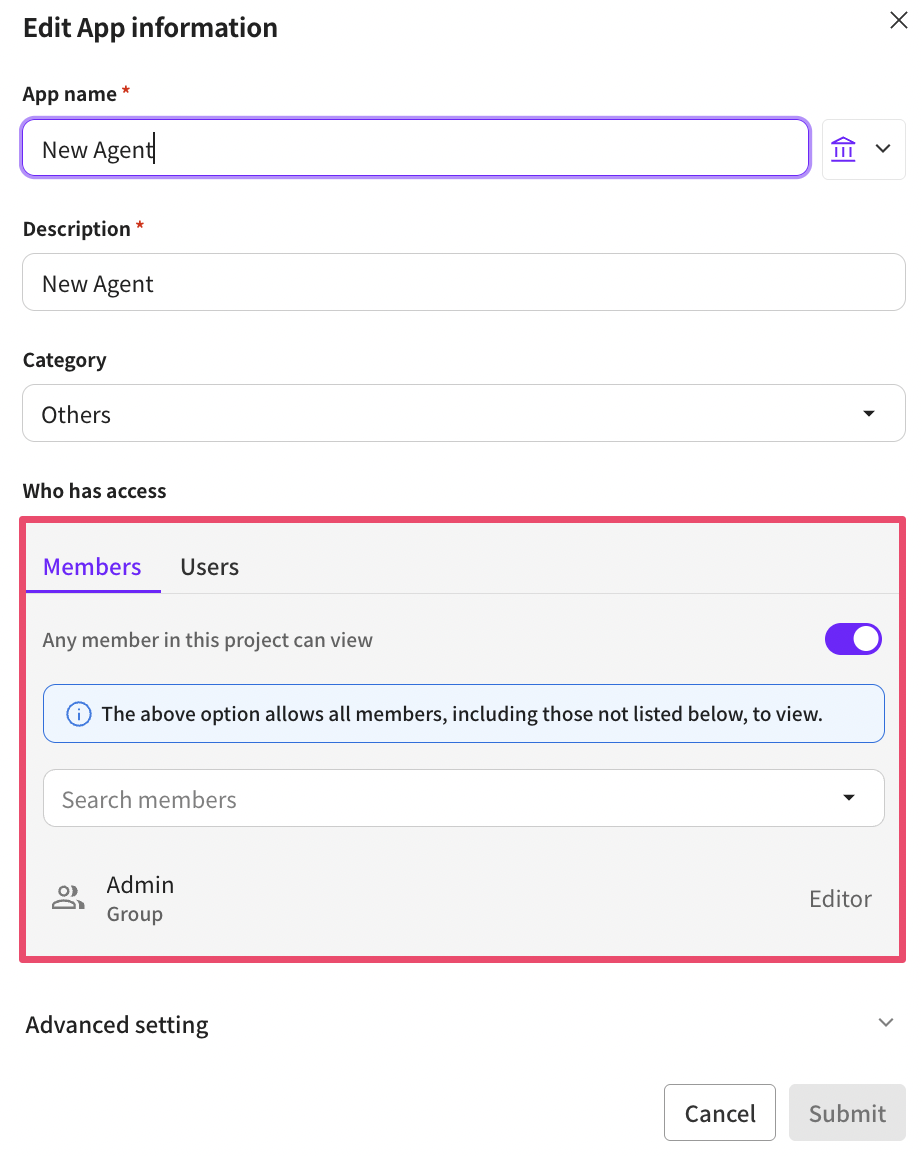
In the access permissions list at the bottom of the Edit App Info popup, you can set member permissions for that app.
**Access Permission Management**
By default, apps are public to all members. Administrators (admins) have edit permissions for all apps.
**If you want to make an app visible only to specific groups and members**
1. Turn OFF the 'This project is viewable by all users' option.
2. Specify specific groups and members
* Select Group: Select a specific group to set access permissions for multiple users at once.
* Search Members: Select individual members to grant app access permissions.
**Per-App Access Control Roles**
* Viewer: Can only view the app and cannot perform actions like editing.
* Editor: Can view and edit the app.