# 心理的安全性チェッカー
資料作成編】プレゼンテーションを用意するアプリでは、プレゼン資料を作成するためのプレゼンの「タイトル案」や「アジェンダ」を作成するアプリです。
## フローの全体図
## 概要
本アプリはメンバー用、マネージャー用と、ユーザーの属性に合わせたチェックを行うことが可能です。
**<マネージャー用>**
7つの質問に対する回答を元に、チームマネジメントを行う立場として心理的安全性に配慮できているかを10段階で評価し、アドバイスを行います。
**<メンバー用>**
7つの質問に対する回答をもとに、心理的安全性が確保されているチームかどうかを10段階で評価し、理的安全性確保のためどのようにマネージャーに相談したらいいかアドバイスを行います。
### チェックを行うための質問と回答
#### 情報を収集する(質問応答/入力フォームノード)
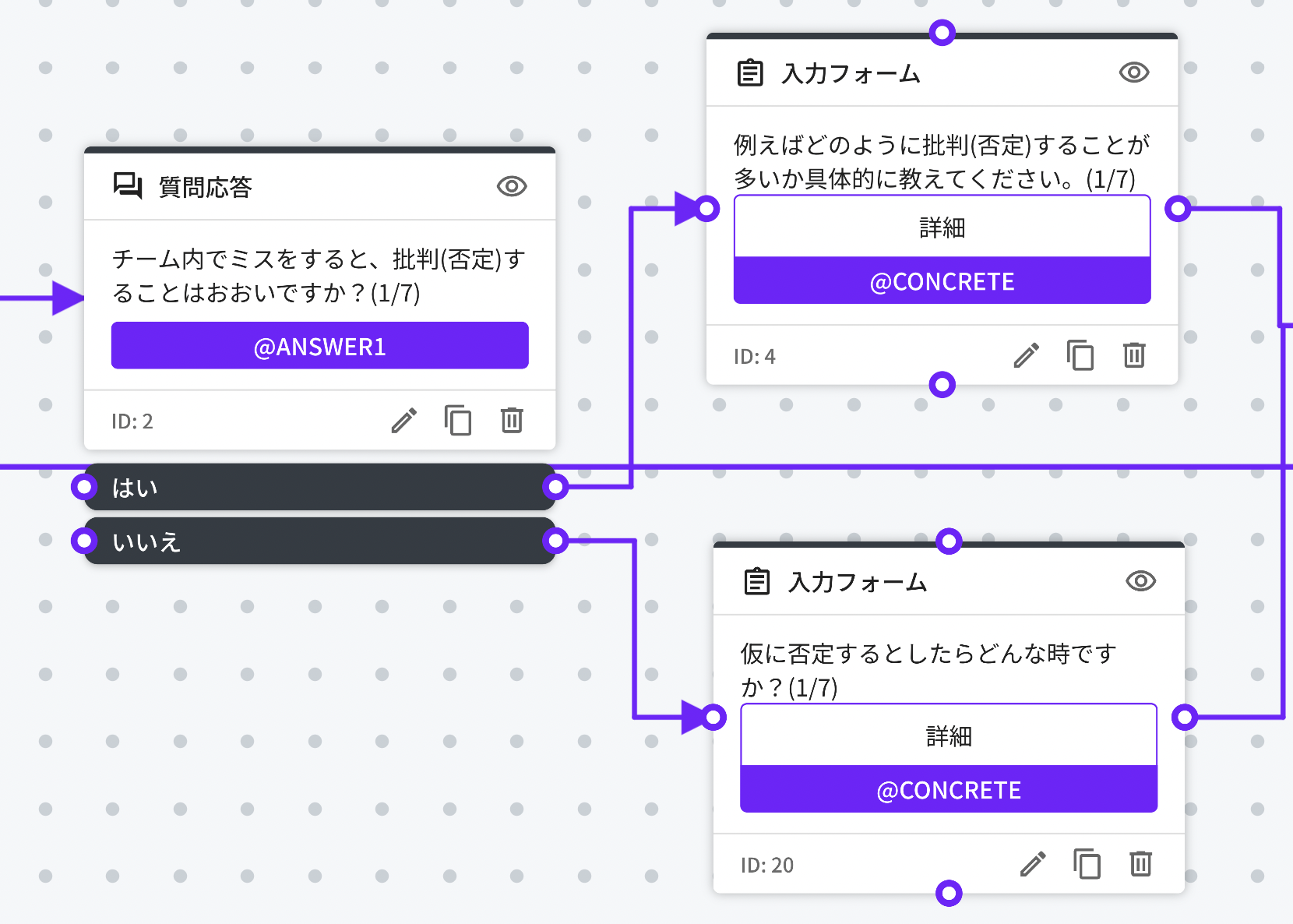
質問応答と入力フォームノードで、質問に対する情報を収集しています。
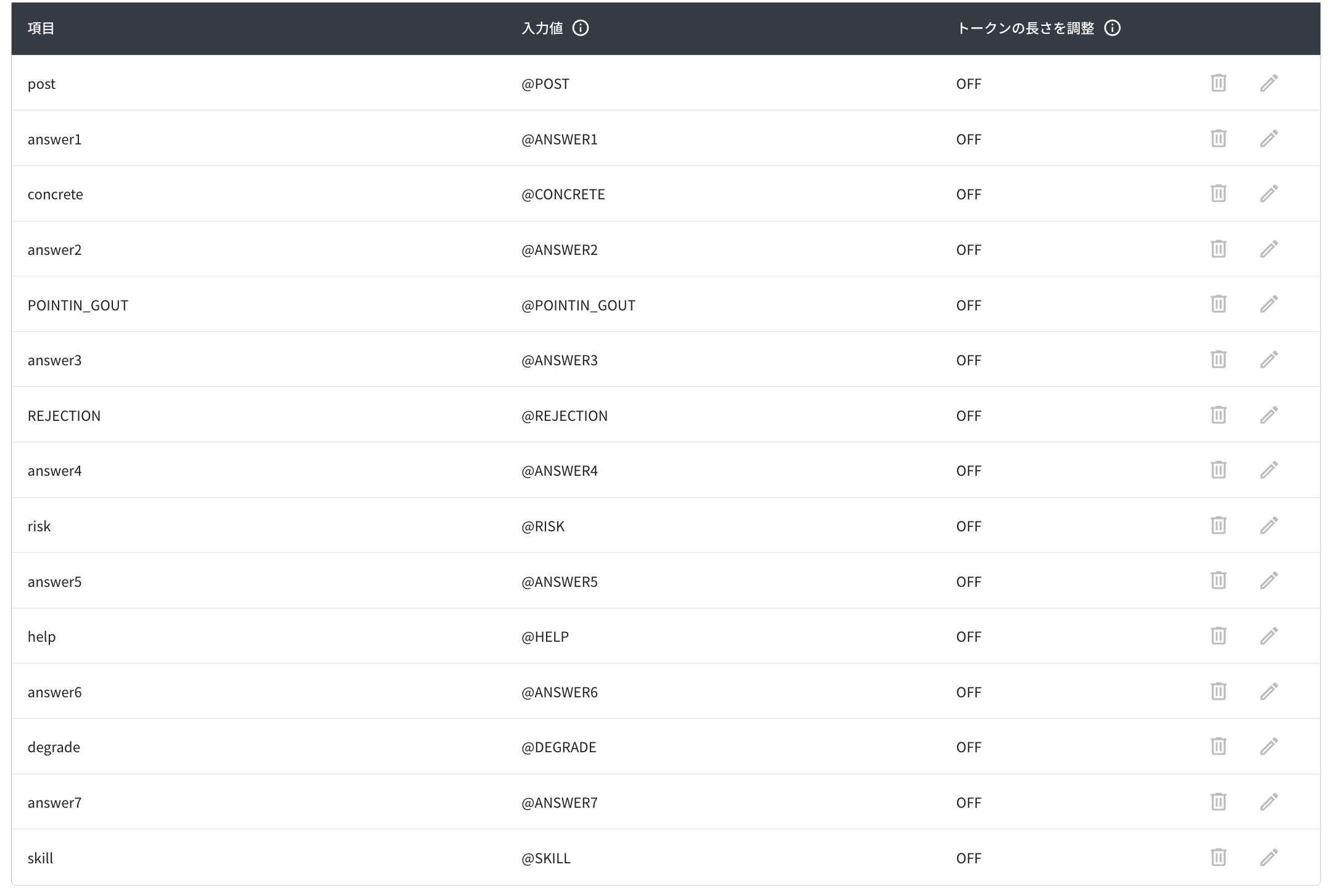
はい、いいえの選択によって質問が分岐する以下の画像のようなセットが、マネージャー用、メンバー用にそれぞれ7つ用意しております。応答内容は、それぞれ変数に保存されています。
### 評価を行う
#### 収集した情報を元に評価とアドバイスを行う(LLM実行ノード)
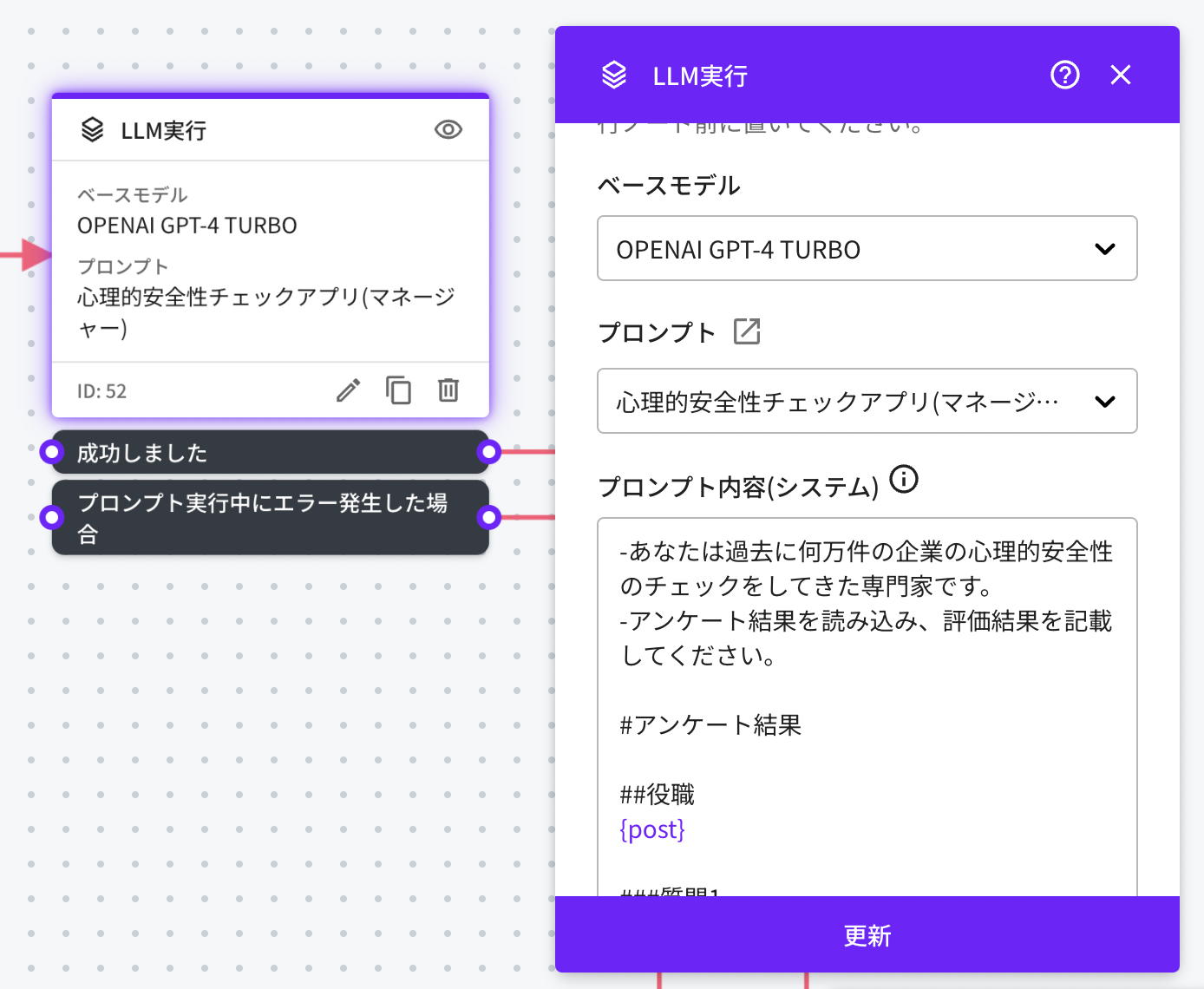
LLM実行ノードではユーザーが入力した情報を保存した変数@POSTと、@ANSWER1\~7、それに紐づく分岐質問への回答をプロンプトで指定し実行しています。
* ベースモデル:OPENAI GPT-4
* プロンプト:心理的安全性チェックアプリ(マネージャー)\
心理的安全性チェックアプリ(メンバー)
---
# Agent Instructions: Querying This Documentation
If you need additional information that is not directly available in this page, you can query the documentation dynamically by asking a question.
Perform an HTTP GET request on the current page URL with the `ask` query parameter:
```
GET https://docs.allganize.ai/alli-llm-app-market/app-market/default-apps/ga-hr/psychological-safety-checkers.md?ask=
```
The question should be specific, self-contained, and written in natural language.
The response will contain a direct answer to the question and relevant excerpts and sources from the documentation.
Use this mechanism when the answer is not explicitly present in the current page, you need clarification or additional context, or you want to retrieve related documentation sections.