> For the complete documentation index, see [llms.txt](https://docs.allganize.ai/alli-llm-app-market/llms.txt). Markdown versions of documentation pages are available by appending `.md` to page URLs; this page is available as [Markdown](https://docs.allganize.ai/alli-llm-app-market/manual/for_admin/default-apps/legal-contracts/saaschekk.md).
# SaaS利用規約チェッカー
SaaS利用規約チェッカーアプリでは、SaaSの利用規約から留意すべき重要なポイントを抽出します。
弊社の利用規約を基にチェックを行います。
## 入力例
* 特にチェックしたいポイント:特になし
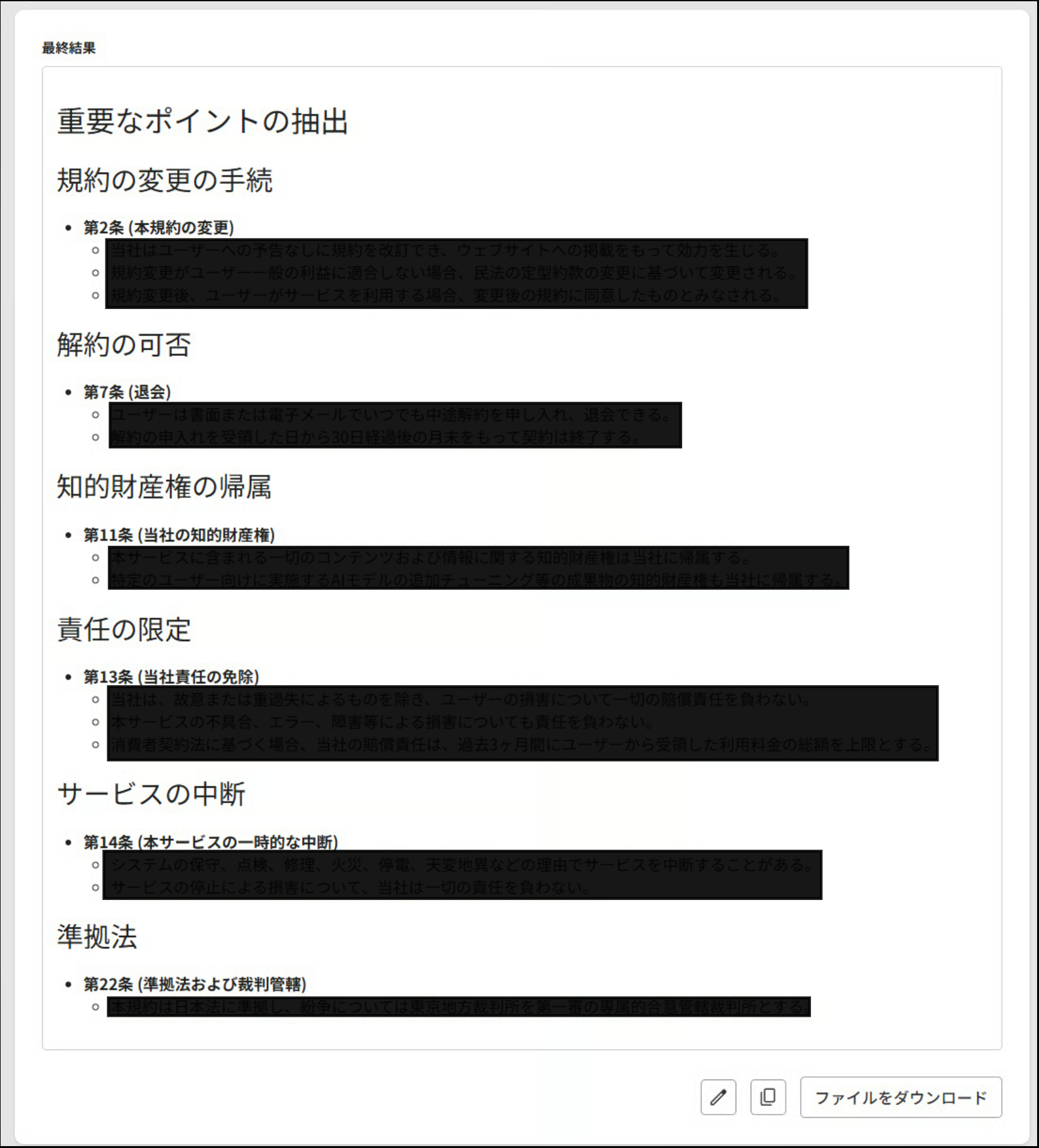
## 結果例
入力例の内容で生成を実施すると下記のような結果が生成されます。
生成された文章は、その場で編集やコピー、ファイルとしてダウンロード(txt・PDF・docx)が可能です。
## アプリ編集画面
標準で用意されているインプット項目とLLMモデル・プロンプトは下記の内容になります。
### インプット
利用者に参照したいファイルを1つ、入力してもらいたい項目を1つご用意しています。
インプット項目は追加や削除、入力形式(インプットタイプ)の変更をすることができます。
* **利用規約**
* 変数:@contract
* インプットタイプ:ドキュメント(ベーシック)
* **特にチェックしたいポイント**
* 変数:@terms
* インプットタイプ:パラグラフスタイル
### LLMモデル
標準モデルは「OPENAI GPT-4o」がセットされています。
{% hint style="warning" %}
モデルを変更することで生成結果の仕上がりが変わる場合があります。
{% endhint %}
### プロンプト
{}で囲まれているものはインプットで設定されている変数が当てはめられており、プロンプト記載欄の下にチップの形で表示されている変数をクリックすると簡単に記載ができます。
{% hint style="warning" %}
インプットの変数を変更した際は、プロンプト内の変数も変更する必要があります。
{% endhint %}
---
# Agent Instructions
This documentation is published with GitBook. GitBook is the documentation platform designed so that both humans and AI agents can read, navigate, and reason over technical content effectively. Learn more at gitbook.com.
## Querying This Documentation
If you need additional information that is not directly available in this page, you can query the documentation by asking a question.
Perform an HTTP GET request on the following URL with the `ask` and `goal` query parameters:
```
GET https://docs.allganize.ai/alli-llm-app-market/manual/for_admin/default-apps/legal-contracts/saaschekk.md?ask=&goal=
```
`ask` is the immediate question: it should be specific, self-contained, and written in natural language.
`goal` is what the user is ultimately trying to achieve, the reason they need the answer. Sharing it helps GitBook give you a better, more relevant answer. A goal is most helpful when it describes the outcome the user wants rather than restating the question. For example, with `ask=how do I create an API token`, a goal like `automate deployments from our CI pipeline` lets GitBook tailor the answer to that use case.
The response will contain a direct answer to the question and relevant excerpts and sources from the documentation.
Use this mechanism when the answer is not explicitly present in the current page, you need clarification or additional context, or you want to retrieve related documentation sections.