> For the complete documentation index, see [llms.txt](https://docs.allganize.ai/nlu-api-dashboard/llms.txt). Markdown versions of documentation pages are available by appending `.md` to page URLs; this page is available as [Markdown](https://docs.allganize.ai/nlu-api-dashboard/data-management/download-data.md).
# Download Data
Get to know how to download data on dashboard
## How to Download data
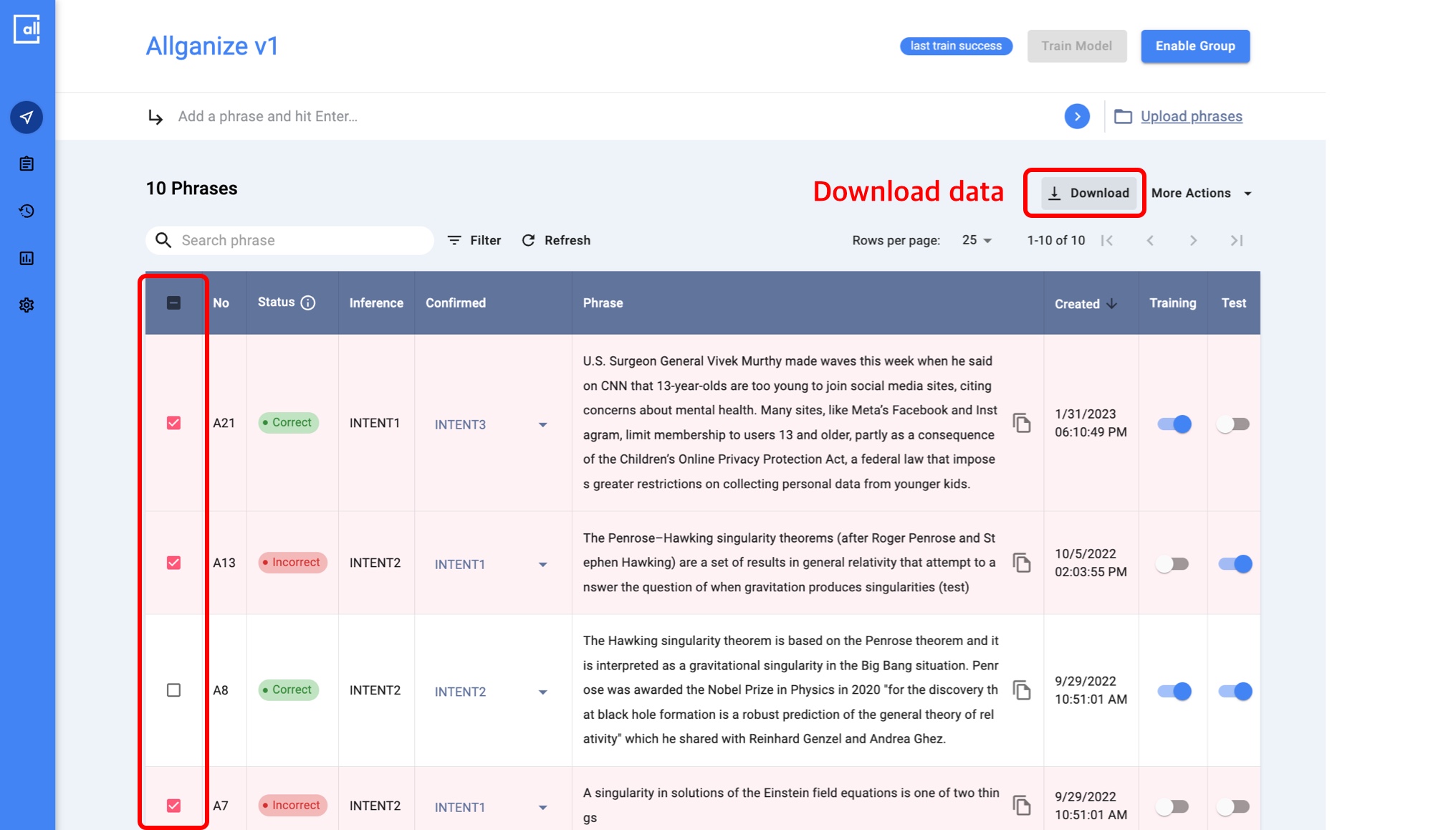
You can download data you want to export on Dashboard \[Image 1]
Select the specific data you want to download using filters or the checkboxes on the left column of the dashboard, then click the Download button in the upper right corner.
[Image 1]
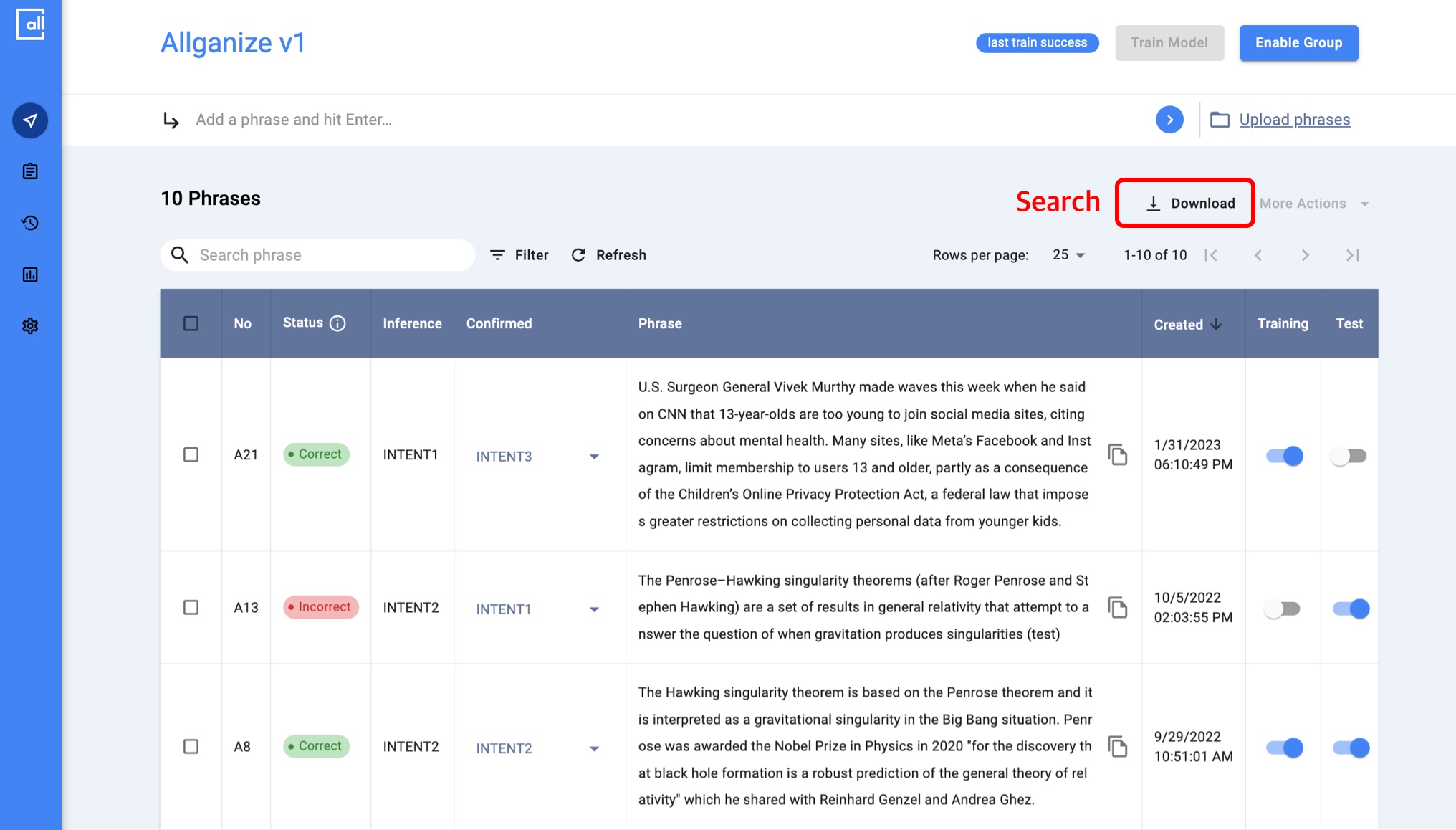
If you want to download the entire data, just click the Download button without any filtering or checkboxes. \[Image 2]
[Image 2]
##
## Download File Type
### Supported file type
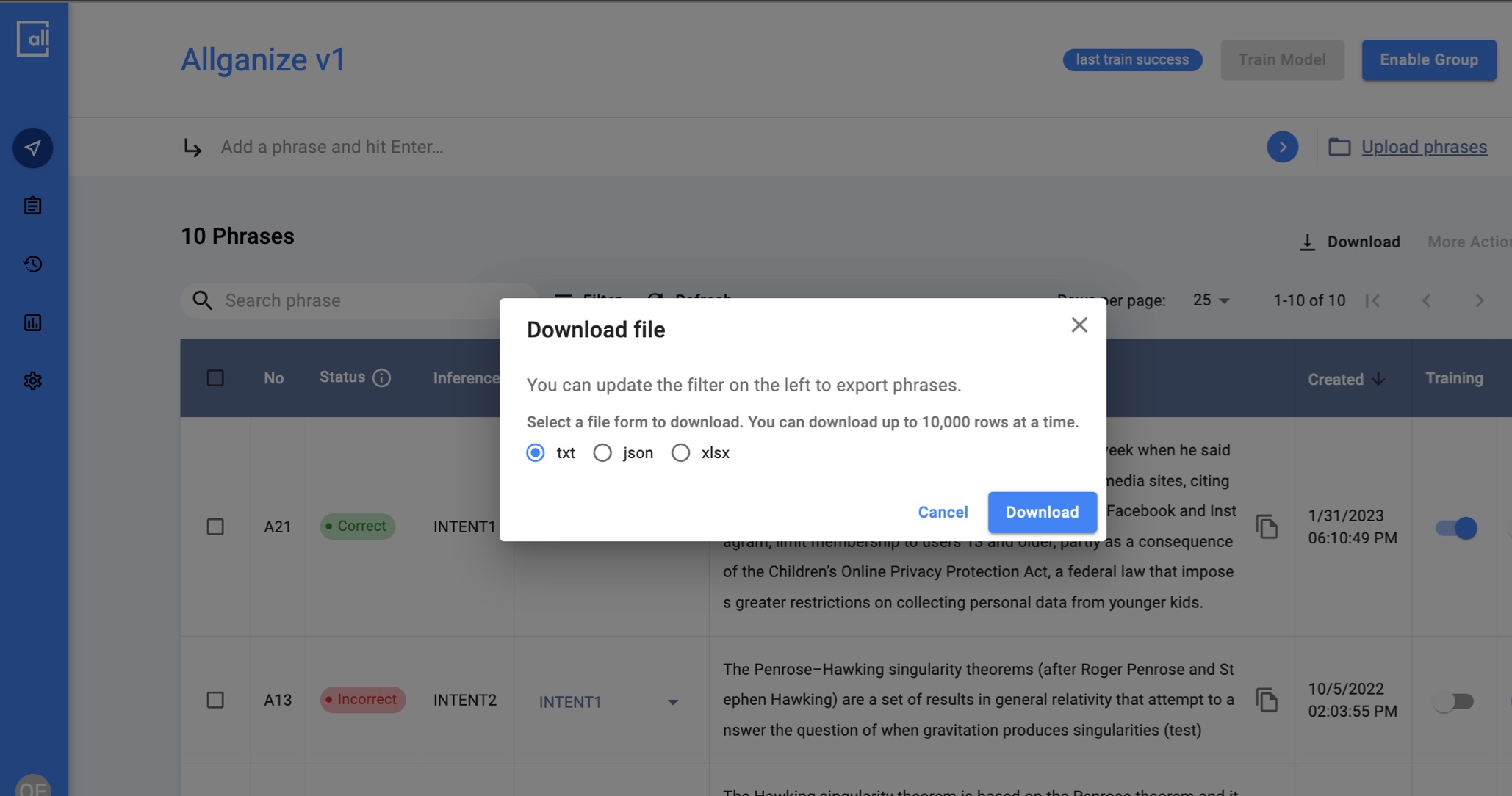
We support **TXT, JSON, and XLSX** files to download.
[Image 3]
{% hint style="info" %}
Up to 10000 rows can be downloaded once.
{% endhint %}
##