> For the complete documentation index, see [llms.txt](https://docs.allganize.ai/nlu-api-dashboard/llms.txt). Markdown versions of documentation pages are available by appending `.md` to page URLs; this page is available as [Markdown](https://docs.allganize.ai/nlu-api-dashboard/data-management/filter-and-search.md).
# Filter & Search
Get to learn how to find the dataset you want.
## Filter
You can use the following filters on the Dashboard or Inference menu to find the data you want.
{% hint style="info" %}
The types and functions of filters are the same between Inference and Dashboard menus.
{% endhint %}
GNB > Dashboard > Filter
Filter layer
### Filter by status
Search according to the[ inference status of the model.](/nlu-api-dashboard/model-training/status.md)
###
### Filter by date range
Search according to the date range when the data was uploaded.
###
### Filter by training
Search according to whether the data has been applied to model training or not.
* ON: Data applied 'On' as training data
* OFF: All data applied 'Off' as training data
* All: All data applied 'On' or 'Off' as training data
### Filter by test
Search according to whether the data has been applied to model testing or not.
* ON: Data applied 'On' as test data
* OFF: All data applied 'Off' as test data
* All: All data applied 'On' or 'Off' as test data
##
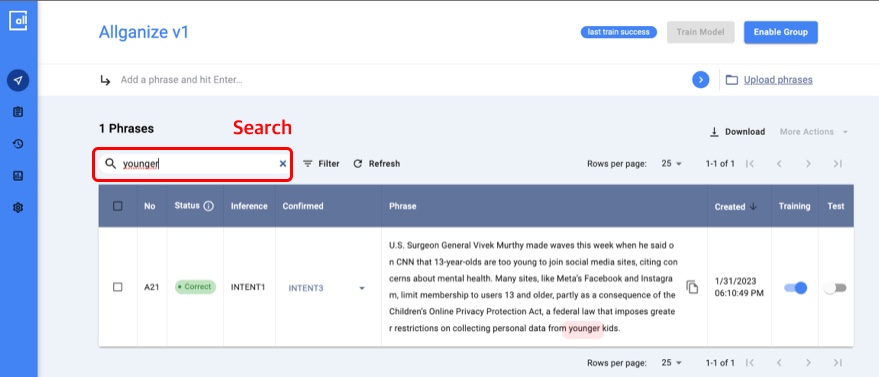
## **Search**
You can also use the search to find the data you want on your dashboard.
If you enter a query in the search box, you can find a list of text (sentence/sentence/paragraph) data that includes the query as a search result.